Overview over Securing an Environment in Education
Starting in a new school environment is always a stressful process; how do I get into xyz, what is the IP for the core, why is this down or acting slow? Here I will go over my steps into slowly taking ownership and converting the unknown into the well-known!
I think when everyone starts a new job (from my experience), they are immediately overwhelmed with all the new processes/information they are subjected too, so I recommend one of your first goals is to figure out your account and passwords needed for your job, to help ensure secure storage and central management I recommend a password manager. A password manager helps centralize critical passwords and system information behind a "lock and key". With an introduction of this you can start saving critical passwords and depending on your environment start migrating from a less secure password storage system (google sheets, notepad, etc.) to a more secure one.
Another key process you should do early is to map out your environment; I recommend a workflow/diagram software such as Visio to physically layout and build your environment. This will help you understand issues as well familiarize yourself with key network objects. With the documentation you should be creating a Networking Document consisting of VLAN information, static IPs, and any networking information pertinent to your environment. Depending on your situation you may already inherit one but the act of going through each IP and VLAN is useful to quickly understand and familiarize yourself with your new network. Make sure once completed you save this document in a secure location and also print it out to have a local copy if things turn dire and network access is not guaranteed.
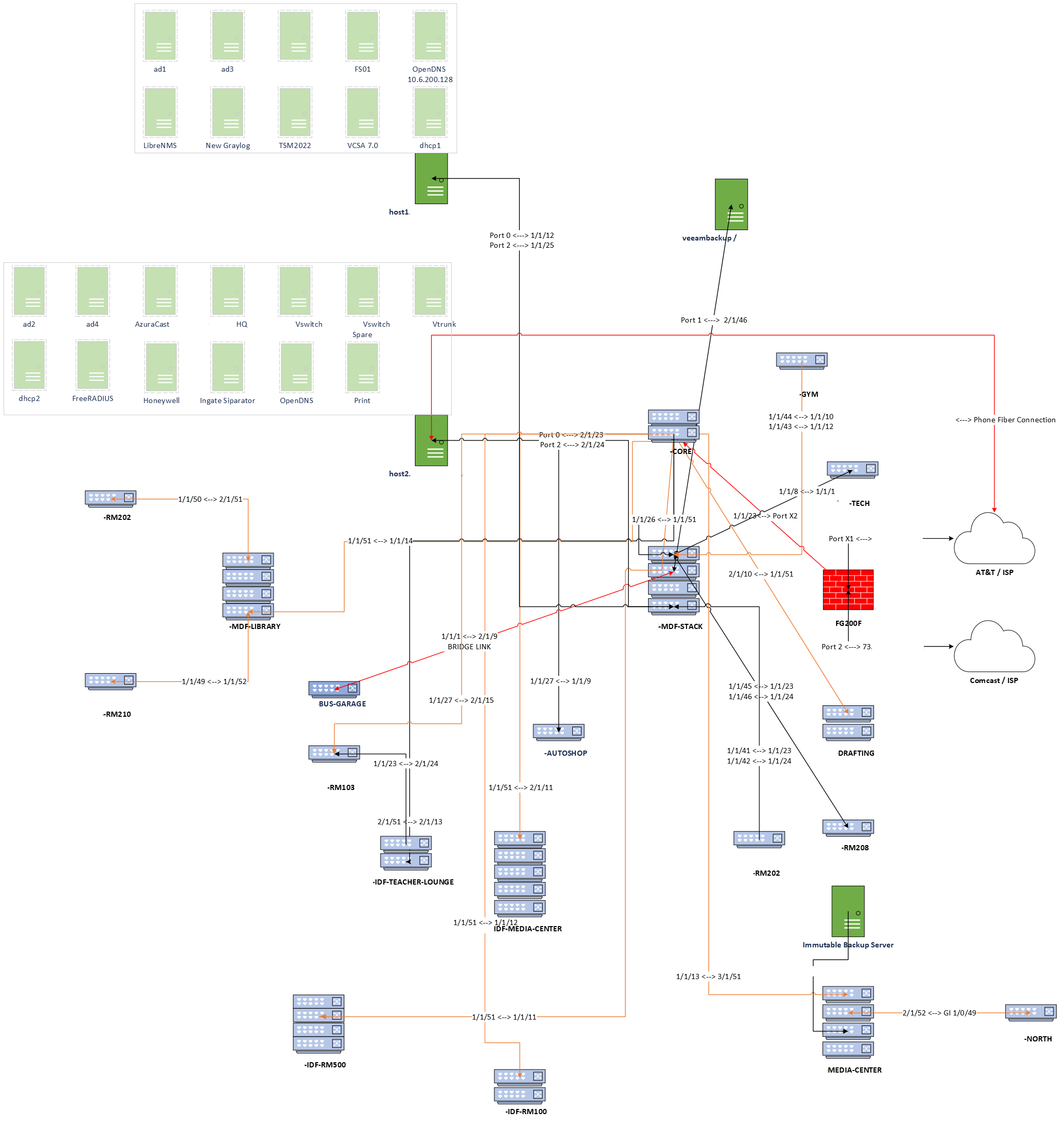
Let's say now you have passwords stored in a secure location, network information mapped and saved, and diagrams to go by. The next and final step in this process is network awareness through reporting. We can accomplish that by implementing a multitude of things; a ticketing system and a network management system.
Ticketing systems are great for logging incidents, archiving incidents, and having a way for your users to contact you about issues. For this I recommend using Spiceworks. It's free, cloud based, and if you ever get another product, it's easy enough to migrate those tickets to another system.
Lastly for our environment we should install a Network Monitoring System, such as LibreNMS. Visibility when things go down and connections become strained is important to determine health of your network as well has have some centralized logging for troubleshooting. I personally love the searching the MAC Address and FDB Table to find devices from a centralized location, it makes finding devices and troubleshooting much easier. Linked here is a guide on how to install and setup your own LibreNMS from a trusted individual in the K12 contributor.
Taking an unknown and making it your own takes time and planning, from understanding previous design choices to implementing your own systems of understanding. We've talked about storing passwords, mapping your network, setting up a ticketing system, and finally implementing a Network Monitoring System to start, this should put you on the path on securing your new network like a true cybersecurity expert!